Your workspace

Your organization, security, signing and delivery settings — all in one premium place.
Organization ID
Account owner
Jump to a section
Workspace status

Organization workspace

Profile, owner, members, plan, and workspace trust — all in one place.
Owner verified Workspace plan Members
Organization profile
The slug cannot be changed after creation.

Account Owner

The login identity and primary security contact for this organization.
Secured
Login email — changing it requires verifying a one-time code sent to the new address.
Your owner email is the login identity for this account. For your security it changes only after a one-time code is verified at the new address — never through the normal save. Owner Name and Phone can be edited and saved below.
Workspace members
Active users
Pending invitations
Admins
Current plan Compare plans
Loading your plan…
Documents this month
API requests / day
Shared across your API clients.
Included features
Subscription
  1. 1 Compare plans
  2. 2 Review & confirm

Compare plans

Choose the plan that fits your signing volume, team size, and compliance needs.

API key security

Create, rotate, scope, and monitor hashed API credentials.
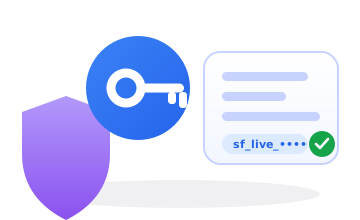
Hashed only Rotate Scoped
Current credential

Authenticates API requests. Shown in full once at creation — only a hashed prefix is stored.

sf_live_••••••••
Credential security
Hashed at restOne-way
Shown onceAt creation
ScopedThis organization
RotatableAnytime
Regenerate API key
This invalidates your current key. All integrations using the old key will stop working until updated.

API Clients (v2 Public API)

Create server-to-server credentials for programmatic access. Each client gets a unique client_id and secret.

API Clients
NameClient IDModeLast UsedCreated
No API clients created yet.
Getting Started Guide

Branding identity

Logo, color, signing page copy, and recipient experience.
Brand color Logo Footer text
Brand & logo
Drives the accent color on your signing pages.
Drag and drop or click to upload
PNG, JPG, SVG, or WebP. Max 2MB.
Signing page copy

These fields appear on the public signing page your recipients see.

Displayed in the signing page header.
Displayed at the bottom of the signing page.

Theme gallery

System and custom visual themes for the SignVerse workspace. Activate one to apply it across every page.
Custom themes Live preview One-click activate
Your themes

Webhooks & events

Realtime notifications with signed delivery and retries.
Signed delivery Automatic retries HMAC ready
Endpoint
Used to verify webhook signatures. Keep this secret.
Subscribed events
Recent deliveries
No deliveries yet
Save a Webhook URL above, then send an envelope or click Test Webhook — deliveries appear here.

Forensics engine

Signature authenticity scoring, quarantine, and policy insight.
Score threshold Quarantine Run test
Quarantine policy
60
Signatures scoring below this threshold are quarantined for manual review. Default: 60.
Choose a preset or use the slider for a custom threshold.
Automatically quarantine signatures below threshold
Signatures below the threshold are automatically held for manual review.
Send email alerts for quarantined signatures
Receive an email whenever a signature is quarantined.
AI document assistant
Master switch for your organization. When on, every new envelope gets the assistant (a plain-English summary + chat for signers); senders can still turn it off per envelope. When off, the assistant is disabled everywhere. Works on text documents only; usage counts toward your AI credits.
Test the engine

Runs the live deterministic engine over a sample signing to show exactly how it scores and whether it would quarantine — it writes nothing.

Recent analysis results
No analysis results yet
Run a test above or analysis results from signed envelopes will appear here.

My signature

Create reusable self-sign signatures with forensic metadata.
Verified email Live preview Forensic data
Adopt a signature

Adopt a reusable signature for one-click self-signing. Stored securely (image hashed + isolated); never shared publicly.

Saved signatures
Loading…
Adopt a company stamp

Adopt a reusable company stamp or seal image, applied to Stamp fields on your documents. Stored securely (image hashed + isolated); never shared publicly. A stamp is separate from a personal signature and has its own saved list below.

Saved company stamps
Loading…

Signature templates

Create and manage the visible signature appearances used on your documents.
System & custom QR verified Live preview
Signature templates
Template Name Type Default Status Scope Actions
Loading templates...

Field defaults

The size a field gets when it is first dropped on a page, and how a signature is laid out inside its box in the finished PDF. All sizes are in PDF points (pt).
Drop sizes Resize bounds Smart fit

Integrations

Document storage providers and cloud-import connections for your workspace.
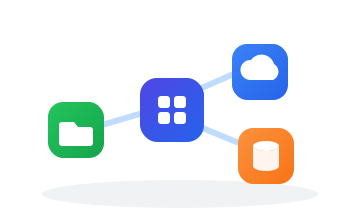
Storage providers Cloud import Per-user OAuth
Document Storage
Configure where SignVerse stores documents — uploaded PDFs, signed copies, and signature images. Default is local server disk.
Local Disk
Server filesystem storage
Amazon S3 / MinIO
S3-compatible object storage
Azure Blob Storage
Microsoft Azure cloud storage
Google Cloud Storage
GCS buckets with service account
Network Share
NFS mount or UNC path
Active Storage
Cloud Storage Integrations
Connect cloud storage providers so users can Import from Cloud in Create Envelope. Each user signs in individually — SignVerse never sees their password or MFA.
Google Drive
Import documents directly from Google Drive
OneDrive
Import from Microsoft OneDrive & SharePoint
Dropbox
Import documents from Dropbox
Box
Import documents from Box cloud storage
Configured Integrations

Document Intelligence

Playbooks that teach the AI reviewer your organization’s positions — jurisdiction, required clauses, thresholds — per document type. Suggestions always wait for a human decision.
Playbook rules Review stance False-positive feedback
Playbooks
No playbook yet — pick a document type and create one to enable AI first-pass review for that type.

AI Providers

Choose what powers your AI features. By default the SignVerse Managed model handles everything — no setup. Or bring your own provider key and your model answers instead. Either way, every request still passes through the PII gateway.
Managed by default Bring your own key Encrypted keys
Active AI model
Loading…
Your AI providers
Bring your own key — OpenAI, Claude, Gemini and more. Active providers are tried in priority order (lowest number first); if all fail, the SignVerse Managed model answers.
PriorityNameTypeModelKeyStatus
No providers added — you’re on the SignVerse Managed model. Add your own key above to run AI on your provider instead.
Model pricing — optional, for cost tracking
Only affects your own-key models: set what each costs (USD per 1M tokens) so usage shows accurate $ and the platform fee is exact. The SignVerse Managed model is already priced for you — you need nothing here to use it. A price applies from when you set it; changing it never rewrites past usage.
ModelProviderInput /1MCached /1MOutput /1M
No prices set — usage is still counted in tokens, but cost will show as —.
Usage & spend limits
Daily token limit
Daily spend limit (USD)
Limits reset at midnight UTC. A call’s cost is only known once it returns, so a limit refuses the next call after spend reaches it — a single large call can cross it. It is a budget, not a hard wall.
Content safety
Applied at the gateway, before anything is sent to a provider — so every AI feature is covered at once.
Blocked topics
One term per line. A request whose text contains any of these (case-insensitive) is refused before it reaches a provider — a deliberate, terminal block with no release path. Leave empty to block no topics.
Custom PII
Define your own sensitive data — company/party names, project code-names, internal ID formats. Every AI request is masked against these before it reaches a provider. Known counterparty & participant names are already masked automatically.
CategoryTypeValue / patternOn
No custom PII rules yet.

Master records

Controlled values, field catalogs, and system dictionaries.
System values Editable names Audit trail
Master data
Master Fields
Values
The code is used by the API and is read-only. System values (seeded by the platform) are locked and can only be edited by the operator; add your own values under the same field to customise labels for your workspace.
CodeNameTypeActive
Available currencies & countries

Pick which currencies and countries your team can choose from on customer records and envelope forms. Leave both blank to show everything the platform ships. Selecting even one code turns on allowlist mode for that catalog — only the selected codes appear.

Currencies
Countries

Communication & delivery

Your mailbox, email/SMS/WhatsApp channels, delivery rules, OTP and link security.
Email SMS WhatsApp

We fill the server fields automatically for Gmail, Outlook/Microsoft 365, and Hostinger once you type your address. Your password is encrypted and never shown again.

Communication Providers
Email, SMS, and WhatsApp providers used for delivery
Delivery Rules
Default channels and blocking behavior for envelope delivery
OTP & Password Security
Configure OTP and access password generation rules

Documents & storage

Upload policy, storage providers, scanning, archival, conversion and advanced controls.
Encrypted at rest AV scanning Retention & archive

Encryption & vault

Choose which key vault holds your organization's encryption key (KEK). Your PII and documents are AES-256-GCM encrypted at rest; the vault is where the master key lives.
AES-256-GCM at rest Bring your own KMS Key custody
How this works. Saving a vault here records your organization's key-custody choice. Your data is always encrypted at rest — today with the platform-managed key. Switching your data to your own vault is a coordinated migration: once you configure a vault, our team runs a re-encryption pass and confirms with you before your key becomes authoritative. You'll never lose access mid-switch.
Key vault provider
The KEK never leaves your vault. SignVerse unwraps a data key once at startup and derives per-column keys locally — no per-operation call to your vault.
Active vault

Privacy & GDPR

Fulfil data-subject requests (export & erasure), set retention windows, and review the accountability ledger.
Art 15/17/20 requests Retention (Art 5) Accountability ledger
Data-subject request
Enter the subject's email. Export downloads everything this organization holds on them. Erase anonymizes their data — recipients on completed (sealed) envelopes are retained under GDPR Art 17(3) and listed in the report.
Request history
Retention policy
Blank = keep forever. Expired envelopes are automatically anonymized (same treatment as erasure); sealed records keep their integrity skeleton.
Session security
How long a login stays valid and how quickly an idle session prompts a re-check. Applies to every user in this workspace. Idle changes take effect on the user's next page load.